
Use Case
The client wants to keep their private information safe when people from inside or outside the company access it. They want to have visibility into strictly confidential documents which get downgraded to a lower label.
When the label downgrade happens they want to get an alert as quickly as possible.
Solution
To accommodate the use case, we will create a Kusto Query Language (KQL) query in Advanced Hunting and a custom detection rule.
The query will be designed to run continuously so we can get the alarm in near real-time.
Prerequisites
Your organization must have Microsoft Information Protection set up. (See this guide)
Implementation
Before you continue please make sure that the prerequisites are met:
1) Getting label ids
First we need to grab the ids from our Information Protection labels.
- Go to Graph Explorer and sign in with an global admin account
- Go to modify permissions and make sure to grant consent for InformationProtectionPolicy.Read
- Paste the url and run the query

- Go through all the results and copy each label id for later use.
- Copy and save all your ids and label names for later use.
2) Creating the Advanced Hunting Query
- Go into security.microsoft.com – Hunting – Advanced Hunting
- Create a new Query
- Go to my GitHub repo and copy the query: Github – Query
- Paste the query from GitHub into your newly created query in Advanced Hunting
- (Important) Replace the listLabelNames with your recently saved label ids and label friendly names (Label ids from step 1)
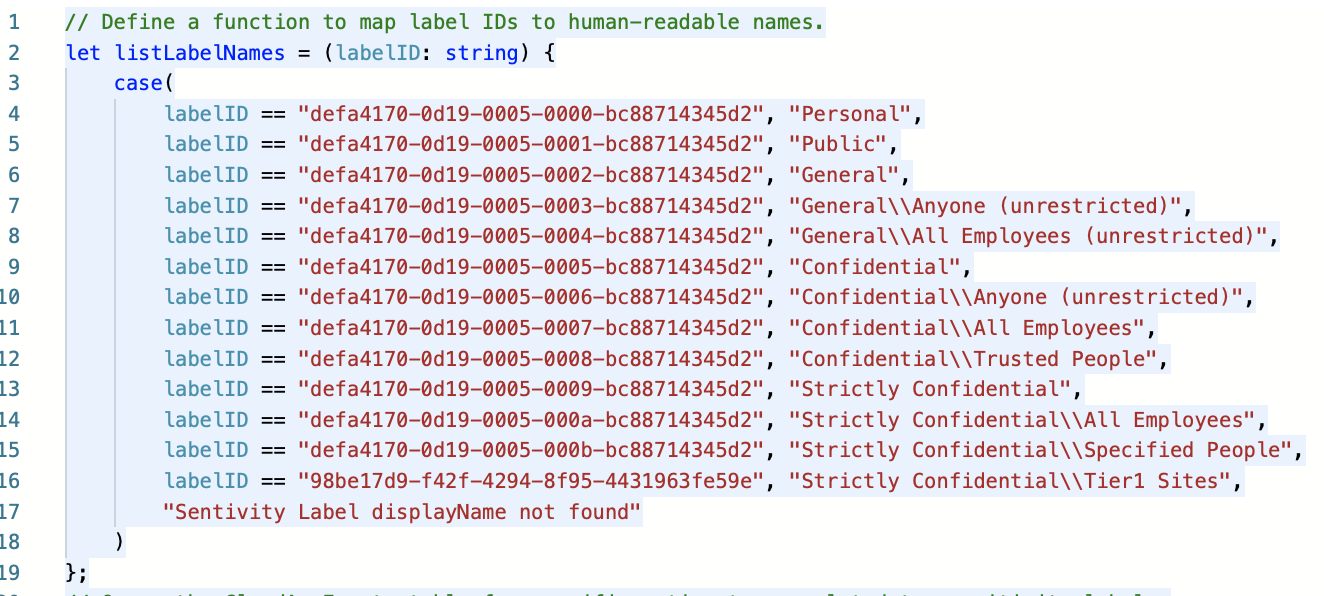
- (Important) Modify this 2 lines (Source & Destination) with your Strictly Confidential label ids.

- Click save as and select the my-queries as location
- Without closing the query proceed to the next step (3) here under

3) Creating the Custom Detection Rule
- Within the query click Create Custom Detection Rule
- Creation: Alert Details – Fill name, frequency, title, severity, category and description (see image)
- Creation: Impacted Entities – Select AccountId (see image)
- Creation: Actions – Skip this or leave it default
- Creation: Submit and create the Detection Rule


4) Testing: Generate an alert
- Go find a test user or use your current admin account
- Go to a Sharepoint site and create a new document
- Give it a name, title and some content
- Select your version of Strictly Confidential Label (Source)
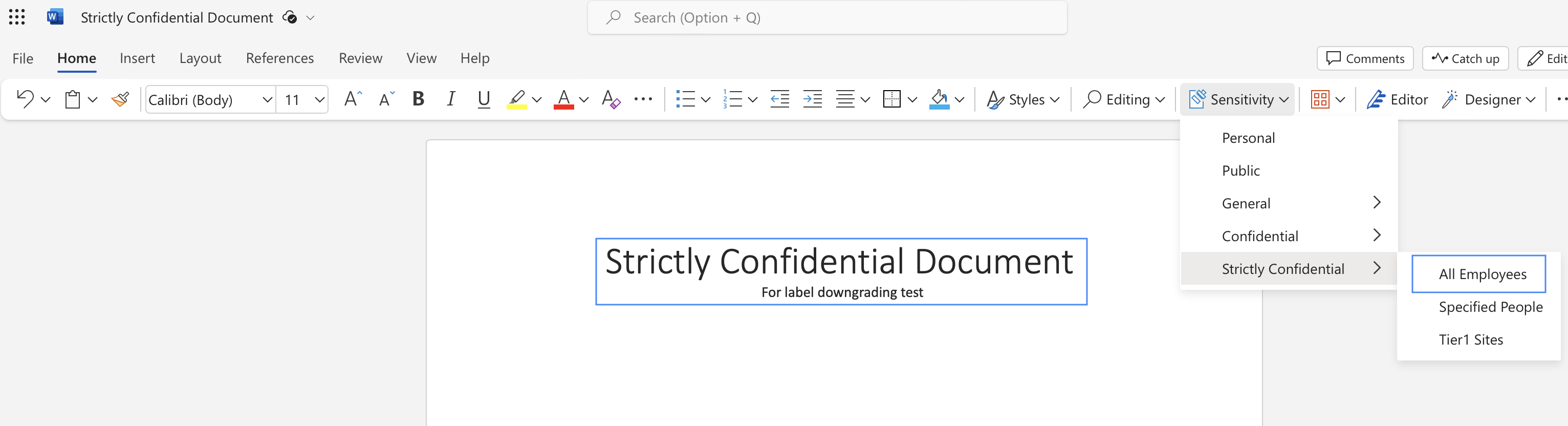
- Refresh the browser inside the document
- Go Downgrade the label to a lower than Strictly Confidential (Destination)

5) Testing: Wait for the alert
- After a couple of minutes the alert appeared. This detection rule I NRT (near real time) so it should appear quickly.

Conclusion
Advanced Hunting with a custom detection rule is very useful for us to monitor CloudAppEvents near real time.
This label downgrade can also be monitored through sentinel or Insider Risk Management.
Let me know if you have questions or need help.